

TL;DR
- Scan at least quarterly, but treat that as the bare minimum.
- Monthly is a solid baseline for most businesses. Scan internet-facing systems weekly.
- Scan again after big changes, like new servers or firewall updates.
- Fix findings as fast as you find them, or scanning won’t help.
- Build your schedule around risk, not just compliance.
Cybersecurity advice can feel vague, and this question is a good example: how often should you run a network vulnerability scan?
The honest answer is “it depends”, which isn’t very helpful. So let’s make it practical. Below you’ll find clear schedules, a simple fix-time guide, and a starter plan you can put in place this week.
The Ideal Network Vulnerability Scan Frequency at a Glance
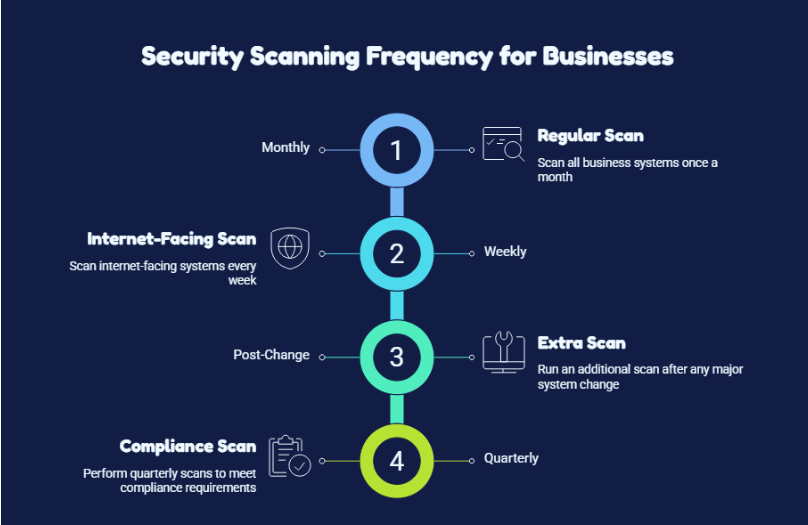
For most businesses:
- Scan monthly.
- Scan internet-facing systems weekly.
- Run an extra scan after every major change.
Many compliance rules ask for quarterly scans (PCI DSS is the classic example). But quarterly leaves a 90-day blind spot, so think of it as the floor, not the goal.
Why Quarterly Scans Leave a Dangerous 90-Day Blind Spot
A scan is like a photograph, not a live video. It shows your network on one specific day. New flaws are published all the time, so a network that looked clean on Monday can be exposed by Friday.
The time between scans is your window of exposure. If you scan every 90 days, a serious flaw disclosed the day after your scan could sit unnoticed for three months.
| 💡 Did you know?
The WannaCry ransomware hit about 59 days after Microsoft released a patch for the flaw it exploited. Attackers were up and running within roughly four weeks of the exploit code leaking. A 90-day scan cycle could easily miss that entire window. |
Know Your Risk: What to Scan and How Often
Not every system carries the same risk, so not every system needs the same schedule. Good network security starts with treating your assets differently.
| What you’re scanning | Minimum | Recommended |
| Internet-facing systems (firewalls, VPNs, web servers) | Monthly | Weekly |
| Internal servers and databases | Quarterly | Monthly |
| Laptops and workstations | Quarterly | Monthly |
| Cloud environments | Monthly | Weekly, plus after each deployment |
| Systems with sensitive data (payments, health, customers) | Monthly | Weekly |
| Legacy or end-of-life systems | Monthly | Monthly, plus extra safeguards |
Find Your Perfect Scanning Rhythm in 4 Quick Questions
- Do you have systems exposed to the internet (websites, VPNs, remote access)?
- Do your systems change often (new apps, servers, cloud deployments)?
- Would a breach expose sensitive data?
- Do you have compliance or client requirements (PCI DSS, HIPAA, SOC 2, ISO 27001)?
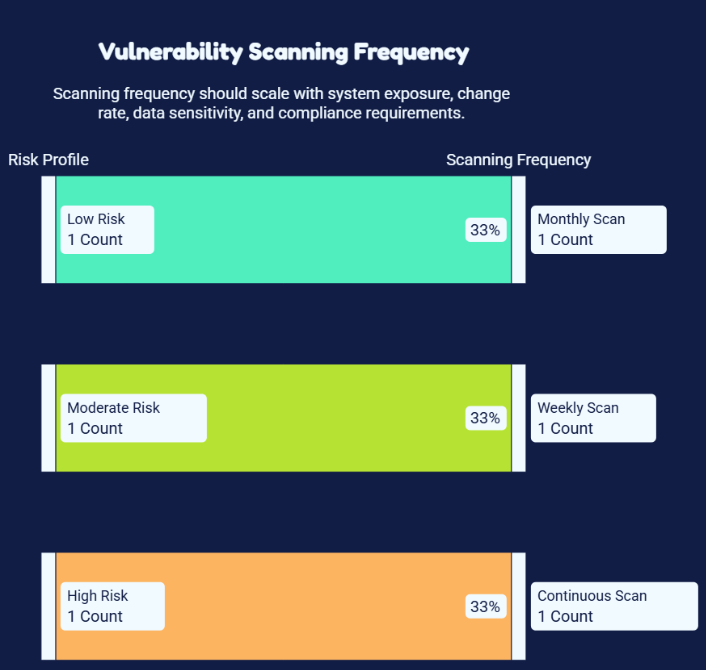
- Mostly “no”: monthly is likely fine.
- Two “yes” answers: go weekly on your critical systems.
- Three or four “yes” answers: aim for continuous or daily scanning on your most important assets.
7 Moments That Demand an Immediate Scan
Your regular schedule is a safety net. Some moments need a scan right away, because you can’t secure your network if you don’t know what a change has exposed.
- Adding new servers, cloud resources or devices
- Changing firewall rules or opening ports
- Setting up remote-access tools or VPNs
- Rolling out major software or operating system updates
- Opening a new office or merging with another company
- Hearing about a high-profile flaw in software you use
- After a security incident or a failed audit
Also rescan after every fix. It’s the only way to confirm the problem is really gone.
Scanning Is Only Half the Job: Fix Weaknesses as Fast as You Find Them
This is the part most guides skip. Scanning every week is pointless if fixes take six months. Your patching should keep pace with your detection.
Here’s a suggested fix-time guide. Adjust it to your own risk level.
| Severity | Fix within |
| Critical (actively exploited) | 24 to 72 hours |
| High | 7 days |
| Medium | 30 days |
| Low | 90 days or next maintenance window |
This loop of find, prioritise, fix and verify is the heart of strong vulnerability management. A scan report that sits in an inbox protects no one.
| 💡 Did you know?
Scanning more often doesn’t automatically make you safer. Too many alerts cause “alert fatigue”, where teams start ignoring warnings and miss the ones that matter. Prioritising by severity and exposure beats raw volume. |
Your Ready-to-Use Scanning Plan by Business Size
- Small business (under 50 staff): monthly external and internal scans, plus a scan after changes. Add a penetration test once a year.
- Growing business (50 to 250 staff): weekly external scans, monthly internal scans, and a quarterly review of trends.
- Larger or regulated organisation: daily or continuous scanning for critical assets, weekly for the rest, and regular penetration testing.
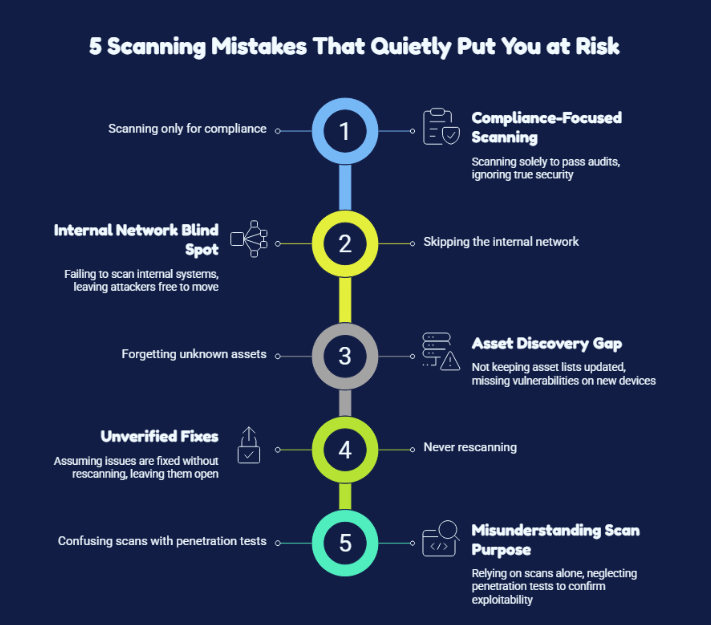
5 Scanning Mistakes That Quietly Put You at Risk
- Scanning only for compliance. Passing an audit and being secure are not the same thing.
- Skipping the internal network. Attackers who get in through phishing or stolen credentials move around inside.
- Forgetting unknown assets. You can’t scan what you don’t know exists, so keep your asset list current.
- Never rescanning. A “fixed” issue that isn’t verified is just an assumption.
- Confusing scans with penetration tests. Scans find known weaknesses. Pen tests show whether they can actually be exploited. You need both.
If your team is stretched thin, vulnerability management services can handle the scheduling, prioritising and reporting, so nothing slips through the cracks.
Turn Every Scan Into Real Protection with Elite IT Team
The right scanning schedule is the one that gives you regular visibility and enough time to fix problems before attackers find them.
That’s where the Elite IT Team comes in. Our cybersecurity team helps businesses with vulnerability management, network security, penetration testing, compliance audits and managed security services, backed by proactive, real-time monitoring. We’ll help you build a scanning schedule that fits your risk, then help you act on the results.
Ready to find your gaps before someone else does? Visit the Elite IT Team and book a free consultation today.
Frequently Asked Questions
Is a monthly scan enough?
For most small and mid-sized businesses, monthly is a solid baseline for internal systems. Internet-facing systems should be scanned weekly, and any major change should trigger an extra scan.
Can you scan too often?
Yes, if you're generating more findings than you can fix, or straining fragile systems. Scan as often as you can act on the results, and focus on the highest-risk issues first.
What's the difference between a vulnerability scan and a penetration test?
A scan is automated and finds known weaknesses, so you can run it often. A penetration test is done by an expert who simulates a real attack. Run one at least yearly or after major changes.